-
Shop
- Advanced Technologies
- AI Career Advantage Collection
- AI Skills
- AI Skills for Creators & Freelancers
- AI Client Management
- AI Ethics
- AI Mindset
- AI Tools & Prompts
- AI Writing & Content Creation
- Audio, Voice & Music
- Design & Visual Creation
- Email, Messaging & Communication
- Freelancing & Business
- Marketing, Ads & Conversion
- Productivity, Workflow & Automation
- SEO & Search Optimization
- Social Media Content & Growth
- Strategy, Planning & Analytics
- Video Creation & Editing
- AI Skills Mastery 2026 Collection
- Car Accessories
- Confidence
- Dating & Social Skills
- Digital Resources
- AI & Technology
- Beauty
- Budgeting & Saving
- Car Buying & Ownership
- Cozy Feast Collection
- Electronics & Technology
- Entrepreneurship & Business Growth
- Financial Education
- Financial Independence
- Financial Mindset & Psychology
- Goal Setting
- Home Styling & Organization
- Kitchen & Recipes
- Leadership
- Mindfulness
- Mindset
- Online Business
- Parenting & Child Development
- Personal Style & Fashion
- Pet Lifestyle & Wellness
- Positive Thinking
- Sleep Improvement
- Smart Life with AI
- Stress Management & Relaxation
- Travel Planning
- Wellness
- Yoga & Fitness
- Yoga & Mind-Body Practices
- Education & Learning
- Family & Parenting
- Fashion
- Accessories
- Alexander McQueen
- Bags
- Bags & Wallets
- Belts
- Blazers
- Bottega Veneta
- Bottoms
- Brunello Cucinelli
- Chloé
- Clothing
- Dolce & Gabbana
- Dresses
- Etro
- Hats & Hair Accessories
- Hoodies & Sweatshirts
- Jacquemus
- Jil Sander
- Kiton
- Luggage
- Miu Miu
- Off-White
- Outerwear
- Rick Owens
- Scarves
- Socks & Tights
- Sweaters & Cardigans
- The Row
- Tom Ford
- Tops & Shirts
- Valentino Garavani
- Vivienne Westwood
- Watches
- Fashion Accessories
- Furniture
- Gadgets
- Health & Beauty
- Health & Wellness
- Home & Garden
- Home Supplies
- Jewelry
- Kids & Babies
- Kitchen
- Kitchen Best-Sellers
- Lighting
- Luxury Brands Collection
- Online Business for Beginners
- Patio, Lawn & Garden
- Personal Growth
- Pet Care
- Pet Supplies
- Pets
- Shoes
- Smart Amazon Shopping
- Smart Home Living Guides
- Sport & Outdoors
- Super Deals
- TikTok Growth & Monetization Mastery
- Travel
- Travel & Adventure
- Wealth
- Popular
- Best deals
Preventing Gadget Overheating: A Guide to Cooler Devices

A phone charging under a pillow, a laptop working hard on a blanket, or a tablet left in a sunny car can heat up faster than you expect. Some warmth is part of normal operation, but excessive heat can interrupt charging, slow performance, and signal a problem that needs attention.
We recommend treating unusual heat as an early cue to pause. A few changes to where and how you use your devices can help you avoid unnecessary strain and know when it’s time to seek help.
Why Gadgets Heat Up
Devices generate heat as their processors, screens, and batteries work. Gaming, video calls, navigation, and other demanding tasks can make a device warmer, especially when several are running at once. Charging also produces heat, and using a device heavily while it charges can add to the load.
Outside conditions matter, too. Direct sunlight and hot rooms make it harder for a device to shed heat. A soft surface can block a laptop’s vents, while a device tucked into a tight space may have limited airflow.
Warmth during a demanding task is not automatically a problem. Pay closer attention if the device becomes uncomfortably hot, stays hot after you stop using it, or displays a temperature warning. Repeated overheating deserves attention even if the device eventually cools down.
Recognize the Warning Signs
Many devices protect themselves when they get too hot. You might see a temperature alert, notice slower performance, or find that charging has paused. A device may also shut down unexpectedly. These responses are reasons to stop using it and give it time to cool.
More serious signs include a swollen battery or case, a burning smell, smoke, or visible battery damage. Stop using and charging the device immediately. Move away from it and follow local emergency guidance if needed. Don’t press on, puncture, or attempt to repair a swollen battery yourself.
| Sign | Suggested response |
|---|---|
| Warm during a demanding task | Pause the task and allow airflow. |
| Temperature warning or shutdown | Stop using the device and let it cool in a shaded, ventilated place. |
| Swelling, smoke, or burning smell | Stop using and charging the device; move away and follow local emergency guidance if needed. |
Build Cooler Everyday Habits
Start with the surroundings. Keep devices out of direct sunlight, and don’t leave them in a parked car, where temperatures can rise quickly. Place laptops and other vented equipment on a firm surface that allows air to circulate rather than on bedding or a cushion.
When a device feels unusually hot, pause the demanding task and give it a break. Consider waiting until it cools before continuing a game, recording video, or running several apps at once. If charging seems to add to the heat, stop using the device while it charges and follow the manufacturer’s instructions.
Keep vents clear using the cleaning method recommended by the manufacturer. Avoid covering openings or pushing debris farther inside. Use chargers and accessories that meet the device maker’s requirements, and follow its operating-temperature guidance. For example, Apple’s temperature guidance for iPhone and iPad explains how environmental conditions can affect those devices.
Never put an overheated gadget in a refrigerator or freezer. Rapid cooling and condensation can cause damage. Natural cooling in a shaded, ventilated place is the better choice.
What to Do When a Device Overheats
First, stop demanding activity. If it is safe to do so, disconnect the charger and switch the device off. Place it in a shaded area with good ventilation and let it cool naturally before you try to use or charge it again.
Once it has cooled, consider what may have caused the heat. Was it in direct sun, charging during a demanding task, or resting on a blocked vent? Changing that condition may help prevent a repeat.
If overheating returns, stop using and charging the device and contact the manufacturer or a qualified service provider. Do the same if you notice battery damage. Our team recommends getting professional help rather than continuing to test a device that repeatedly becomes excessively hot.
Keep Device Care Guidance Close at Hand
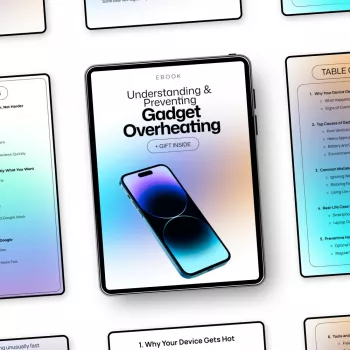
If you want a dedicated resource for building better device-care habits, explore Understanding and Preventing Gadget Overheating. The guide is in stock and listed at $13.99 USD; visit the product page for current purchase details.
While you’re browsing our store, you can also find the Levi’s Men’s White Short-Sleeve T-Shirt in stock. It’s a separate everyday clothing option, not a device-cooling accessory.
FAQ
Is it normal for a phone to get warm while charging?
Some warmth can be normal. If you see a temperature warning, the phone becomes excessively hot, or the battery appears damaged, stop charging and follow the manufacturer’s guidance.
Can I cool an overheated device in the refrigerator?
No. Let it cool naturally in a shaded, ventilated place; rapid cooling and condensation can damage it.
What should I do if my device keeps overheating?
Stop using and charging it, and allow it to cool. If the problem continues, contact the manufacturer or a qualified service provider.
Recommended for you


How to Wear Polka Dots with Grown-Up Charm
Nov 6, 2026













Leave a comment