-
Shop
- Advanced Technologies
- AI Career Advantage Collection
- AI Skills
- AI Skills for Creators & Freelancers
- AI Client Management
- AI Ethics
- AI Mindset
- AI Tools & Prompts
- AI Writing & Content Creation
- Audio, Voice & Music
- Design & Visual Creation
- Email, Messaging & Communication
- Freelancing & Business
- Marketing, Ads & Conversion
- Productivity, Workflow & Automation
- SEO & Search Optimization
- Social Media Content & Growth
- Strategy, Planning & Analytics
- Video Creation & Editing
- AI Skills Mastery 2026 Collection
- Car Accessories
- Confidence
- Dating & Social Skills
- Digital Resources
- AI & Technology
- Beauty
- Budgeting & Saving
- Car Buying & Ownership
- Cozy Feast Collection
- Electronics & Technology
- Entrepreneurship & Business Growth
- Financial Education
- Financial Independence
- Financial Mindset & Psychology
- Goal Setting
- Home Styling & Organization
- Kitchen & Recipes
- Leadership
- Mindfulness
- Mindset
- Online Business
- Parenting & Child Development
- Personal Style & Fashion
- Pet Lifestyle & Wellness
- Positive Thinking
- Sleep Improvement
- Smart Life with AI
- Stress Management & Relaxation
- Travel Planning
- Wellness
- Yoga & Fitness
- Yoga & Mind-Body Practices
- Education & Learning
- Family & Parenting
- Fashion
- Accessories
- Alexander McQueen
- Bags
- Bags & Wallets
- Belts
- Blazers
- Bottega Veneta
- Bottoms
- Brunello Cucinelli
- Chloé
- Clothing
- Dolce & Gabbana
- Dresses
- Etro
- Hats & Hair Accessories
- Hoodies & Sweatshirts
- Jacquemus
- Jil Sander
- Kiton
- Luggage
- Miu Miu
- Off-White
- Outerwear
- Rick Owens
- Scarves
- Socks & Tights
- Sweaters & Cardigans
- The Row
- Tom Ford
- Tops & Shirts
- Valentino Garavani
- Vivienne Westwood
- Watches
- Fashion Accessories
- Furniture
- Gadgets
- Health & Beauty
- Health & Wellness
- Home & Garden
- Home Supplies
- Jewelry
- Kids & Babies
- Kitchen
- Kitchen Best-Sellers
- Lighting
- Luxury Brands Collection
- Online Business for Beginners
- Patio, Lawn & Garden
- Personal Growth
- Pet Care
- Pet Supplies
- Pets
- Shoes
- Smart Amazon Shopping
- Smart Home Living Guides
- Sport & Outdoors
- Super Deals
- TikTok Growth & Monetization Mastery
- Travel
- Travel & Adventure
- Wealth
- Popular
- Best deals
Build a Personal Assistant Chatbot for Daily Work
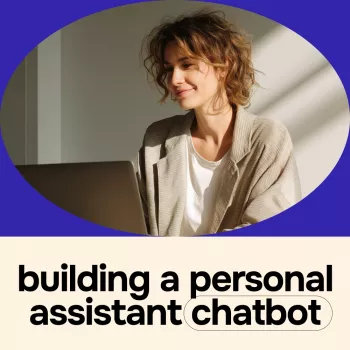
A personal assistant chatbot can give you a useful starting point for routine work, from organizing a busy day to turning meeting notes into a list of next steps. The most effective place to begin is not with a complicated system, but with one task you repeat and a clear idea of the result you want.
Our ebook, Building a Personal Assistant Chatbot with Ease, offers a practical starting point for exploring AI, productivity, task automation, and smart workflows. As you consider what to build, focus on manageable steps that leave you in control of important decisions.
Start with a Task Worth Simplifying
A personal assistant chatbot can help you organize requests and prepare useful drafts for routine work. Instead of asking it to manage your entire schedule on day one, start with a task that has a clear beginning and end. For example, you might give it a to-do list and ask for a suggested order, or share a few meeting notes and request a short list of follow-up items.
Choose something you do often enough to test more than once. A daily agenda is a good candidate because you can compare the suggested plan with your actual priorities. You can also see quickly whether the response is too broad, misses a deadline, or puts too many tasks into one day.
The ebook is a guide to creating a personal assistant chatbot, without assuming that every reader will use the same tools or follow the same technical path. Your first goal can be as simple as getting a consistent, useful response to one recurring request.
Turn Everyday Requests into Smart Workflows
Before you automate a task, define three parts: the information you will provide, the action you want the assistant to take, and the output you expect. This small planning step makes it easier to spot gaps and decide whether the result is useful.
For a daily agenda, your input could be a list of tasks, deadlines, and available work hours. The action would be to organize those tasks by priority, and the output might be a suggested list for the day. You can then adjust the plan based on commitments the assistant does not know about.
The following ideas are starting points you can adapt to your own tools and responsibilities. They are examples of possible workflows, not a list of features included with the ebook.
| Task | Example request | Expected output |
|---|---|---|
| Plan the day | Organize these tasks by priority | A suggested task list |
| Prepare a message | Draft a polite meeting follow-up | A draft to review and send |
| Summarize notes | Identify action items from these notes | A concise list of next steps |
Each workflow should have a review point. A draft may sound polished while overlooking an important detail, and a summary may leave out a decision or assign a task to the wrong person. Check the source material and use your judgment before relying on a result for an important decision.
Keep Your Assistant Useful and Secure
Clear instructions make a workflow easier to evaluate. Tell your assistant what context matters, what format you prefer, and any limits it should observe. For example, ask for a short list of action items rather than a general summary, and specify whether you want unanswered questions separated from confirmed decisions.
Test with a small, ordinary example first. If the result misses the mark, change one instruction and try again. You might ask for a shorter response, a different order, or a clearer distinction between facts and suggestions. Keeping the task narrow helps you understand what needs adjustment before you expand the workflow.
Accuracy and privacy deserve attention even when a task feels routine. Review drafts and summaries against your original information. Keep sensitive information out of your requests unless the service you choose and its privacy settings are appropriate for that information. The Federal Trade Commission’s personal information guidance offers useful general precautions.
Connections to calendars, email, or other apps depend on the tools you use and may require additional setup and permissions. Before granting access, consider what information a connection can reach and whether you need it for the task. The NIST AI Risk Management Framework is another resource for thinking about AI risks and responsible use.
Explore the Ebook
Our Building a Personal Assistant Chatbot with Ease ebook is focused on AI for productivity, task automation, and smart workflows. It is listed at $11.99; visit the product page for current purchase details.
We recommend choosing one workflow to develop as you explore the ebook. Write down the information you will provide, the action you want, and the output you will review. Once that process works for you, you can decide whether another task is worth adding.
If you are also browsing our store for everyday essentials, you can explore our Calvin Klein Jeans women’s grey print wallet with zip fastening as a separate option.
FAQ
What can a personal assistant chatbot help with?
A personal assistant chatbot can help organize tasks, draft messages, and summarize notes. Its capabilities depend on the tools you use.
Can a chatbot automate tasks across other apps?
It can connect to other apps when the chosen tools support those connections and you provide the necessary permissions and setup. Integrations are not necessarily included with the ebook.
How should I protect private information when using a chatbot?
Review the service’s privacy settings and limit sensitive information unless the service is appropriate for it. Check outputs before acting on them, especially when accuracy or confidentiality matters.
Recommended for you


When Food Becomes a Battlefield: Calmer Mealtimes
Oct 29, 2026













Leave a comment