-
Shop
- Advanced Technologies
- AI Career Advantage Collection
- AI Skills
- AI Skills for Creators & Freelancers
- AI Client Management
- AI Ethics
- AI Mindset
- AI Tools & Prompts
- AI Writing & Content Creation
- Audio, Voice & Music
- Design & Visual Creation
- Email, Messaging & Communication
- Freelancing & Business
- Marketing, Ads & Conversion
- Productivity, Workflow & Automation
- SEO & Search Optimization
- Social Media Content & Growth
- Strategy, Planning & Analytics
- Video Creation & Editing
- AI Skills Mastery 2026 Collection
- Car Accessories
- Confidence
- Dating & Social Skills
- Digital Resources
- AI & Technology
- Beauty
- Budgeting & Saving
- Car Buying & Ownership
- Cozy Feast Collection
- Electronics & Technology
- Entrepreneurship & Business Growth
- Financial Education
- Financial Independence
- Financial Mindset & Psychology
- Goal Setting
- Home Styling & Organization
- Kitchen & Recipes
- Leadership
- Mindfulness
- Mindset
- Online Business
- Parenting & Child Development
- Personal Style & Fashion
- Pet Lifestyle & Wellness
- Positive Thinking
- Sleep Improvement
- Smart Life with AI
- Stress Management & Relaxation
- Travel Planning
- Wellness
- Yoga & Fitness
- Yoga & Mind-Body Practices
- Education & Learning
- Family & Parenting
- Fashion
- Fashion Accessories
- Furniture
- Gadgets
- Health & Beauty
- Health & Wellness
- Home & Garden
- Home Supplies
- Jewelry
- Kids & Babies
- Kitchen
- Kitchen Best-Sellers
- Lighting
- Online Business for Beginners
- Patio, Lawn & Garden
- Personal Growth
- Pet Care
- Pet Supplies
- Pets
- Shoes
- Smart Amazon Shopping
- Smart Home Living Guides
- Sport & Outdoors
- Super Deals
- TikTok Growth & Monetization Mastery
- Travel
- Travel & Adventure
- Wealth
- Popular
- Best deals
Cordless Pool Robot for Inground Pools: Buy & Use Guide
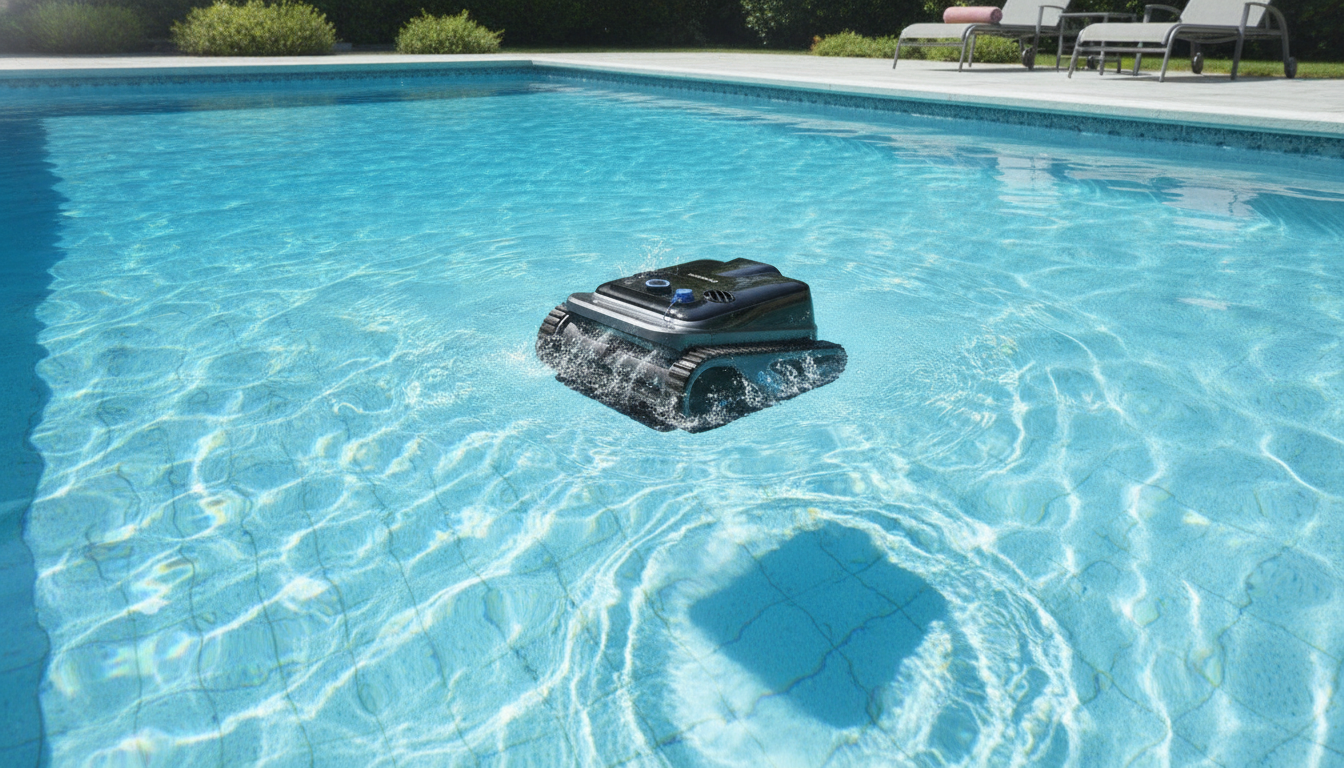
Cordless Robotic Pool Cleaner for Inground Pools: A Practical Guide to Cleaner Water With Less Work
A cordless robotic cleaner can take over the most time-consuming parts of pool care—picking up debris, scrubbing surfaces, and running consistent cleaning cycles—without a power cord to manage. This guide breaks down what to look for in a cordless robot for inground pools, how to use it effectively, and how to keep it running well season after season.
What a cordless robotic pool cleaner does (and what it doesn’t)
A cordless robotic pool cleaner automates routine cleaning by driving itself across key pool surfaces and pulling debris into an internal filter basket or cartridge. Instead of pushing a manual vacuum head or wrestling hoses, you drop the robot in, let it scrub and collect, then empty the filter when it’s done.
Used consistently, a robot reduces the amount of debris that breaks down in the water between deeper cleanings, which can help your pool look clearer day to day. That said, it works best as part of a full care routine—balanced water chemistry, proper circulation, skimming, and occasional brushing still matter, especially after storms or heavy swimmer load. Also, not all robots handle every scenario equally: fine silt vs. leaves, steep slopes, deep ends, steps, and complex shapes can all change real-world performance.
Quick product snapshot
If you want a simple, low-effort way to keep an inground pool cleaner between maintenance days, a cordless model is often the easiest to live with: easier deployment and removal, fewer tangles, and no need to route a floating cable across the pool.
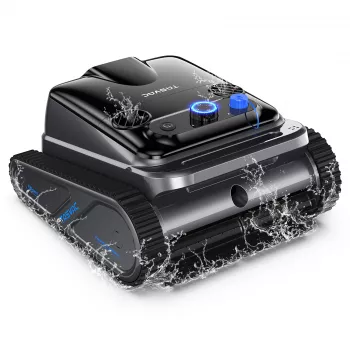
Featured product: Cordless Robotic Pool Cleaner for Inground Pools ($470.01).
At-a-glance checklist before buying
| Check item | Why it matters | What to confirm |
|---|---|---|
| Pool size and depth | Affects runtime and coverage | Rated coverage and maximum depth |
| Surface type | Traction and brush effectiveness vary | Compatible with plaster, vinyl, fiberglass, tile (as applicable) |
| Debris type | Filters differ for leaves vs. fine sand | Basket capacity and fine filtration options |
| Charging time and runtime | Determines how often it can clean | Minutes per charge and recharge duration |
| Retrieval method | Affects convenience | Auto-parking, hooks, or handle design |
| Maintenance access | Impacts long-term usability | Tool-free filter access and rinseability |
Cleaning performance for inground pools
Most cordless robots rely on sensor-based navigation to reduce missed spots and avoid getting stuck. In practical terms, that usually means more consistent floor coverage over repeated cycles, even if a single run doesn’t hit every inch of the pool perfectly.
Scrubbing and pickup come down to two systems working together: brushes loosen debris from surfaces while suction pulls it into the filter compartment. Brush design, suction path, and filter fineness all affect results—especially for very fine dust that tends to plume if disturbed.
Edges, coves, and around drains can slow progress because those areas create turbulence and tight geometry. It’s normal to do occasional spot-brushing in corners or along a stubborn tile line, even with a strong robot. On heavy debris days (after storms, mowing, or landscaping), a quick skim first can keep the robot’s basket from filling early and ending the cycle with half the pool left to cover.
Battery, charging, and cycle planning
Battery runtime determines practical coverage. Larger inground pools or pools that need both floor and wall attention benefit from longer runtimes, while smaller pools can stay clean with shorter, more frequent cycles.
For charging habits, follow the unit’s guidance: let the robot cool down and dry as recommended before charging, and keep the charger in a dry, shaded location. Cycle planning is where cordless models shine—short, consistent runs often keep the water looking better than a single long “catch-up” clean once a week.
Season also changes the math. Colder water can reduce battery efficiency, and peak leaf drop can overload baskets quickly. Plan extra cycles during shoulder seasons and after pool parties so debris doesn’t sit long enough to break down and cloud the water.
Cordless vs. corded: what changes in real-world use
Cordless and corded robots compared
| Feature | Cordless robotic cleaner | Corded robotic cleaner |
|---|---|---|
| Setup time | Typically faster | Typically slower due to cable handling |
| Tangle risk | Low | Moderate to high depending on swivel and pool shape |
| Continuous runtime | Limited by battery | Can run longer sessions |
| Storage | Usually simpler | Cable adds bulk and care needs |
| Best for | Convenience and frequent cleaning | Longer uninterrupted cleaning sessions |
Daily use: setup, running, and retrieval
Filter cleaning and routine maintenance
Common issues and quick fixes
Helpful water-care references
Robots handle debris, but safe swimming still depends on balanced water and good circulation. For practical, science-based guidance, see CDC: Healthy Swimming, the Pool & Hot Tub Alliance (PHTA), and an overview of NSF pool and spa standards.
More from our store
- Cordless Robotic Pool Cleaner for Inground Pools
- 6PCS Children’s Balance Stepping Stones
- Turning Your House into a Glowing Retreat: Cozy Home Lighting Tips & Guides
FAQ
How long does a cordless robotic pool cleaner typically run on a charge?
Runtime varies by model and conditions, and it may be shorter when the cleaner climbs walls or handles heavier debris. Choose a runtime that matches your pool size and expect to plan multiple cycles on heavy-debris days.
Can a cordless robotic cleaner handle leaves and fine sand in the same pool?
Yes, but performance depends on basket capacity for leaves and having fine enough filtration for sand or silt. A practical routine is to skim big debris first, run the robot with the best filter option available, then rinse the filter right after the cycle.
Is it safe to leave a robotic cleaner in the pool all the time?
It’s usually better to remove it after cycles when possible, rinse it, and let it dry before charging. Long-term exposure to pool chemicals and sunlight can shorten the life of seals, plastics, and other components.













Leave a comment